From the New York Times:
The [27-3 vote] is the climax of a two-and-a-half year campaign by the Bush administration to convince the world that suspicions about Iran’s nuclear program are so serious that the issue must come before the Security Council for judgment.
If it turns out that they were not only developing nuclear weapons, but were also developing delivery systems for targets in Europe, Iraq, and Israel, will the New York Times be repeating that it was a "campaign by the Bush administration"? I imagine if that's the case, they'll be crediting Mohammed ElBaradei with the whole thing.
Tip #1: Never put a man named 'Mohammed' in charge of keeping the peace.
Making your mouse point look like a little dinosaur
Ever get tired of that little white arrow that moves around when you move your mouse? Despite the feeling of overwhelming responsibility one feels when pushing around a little arrow (it's a weapon, for G-d's sake!), the pointer serves an important purpose in the Windows user interface: It let's you know what you're going to click on, before you click on it! It's like a little psychic helper, letting you know what's going to happen next!
But if you're going to have a little psychic helper, why not make it a dinosaur!? Well, dinosaurs may be extinct in the boring old so-called "Real World", but there in your computer, in the wonderful world of Cyberspace(!) you can not only find dinosaurs, you can even find Friendly Psychic Dinosaurs!
Here's how!
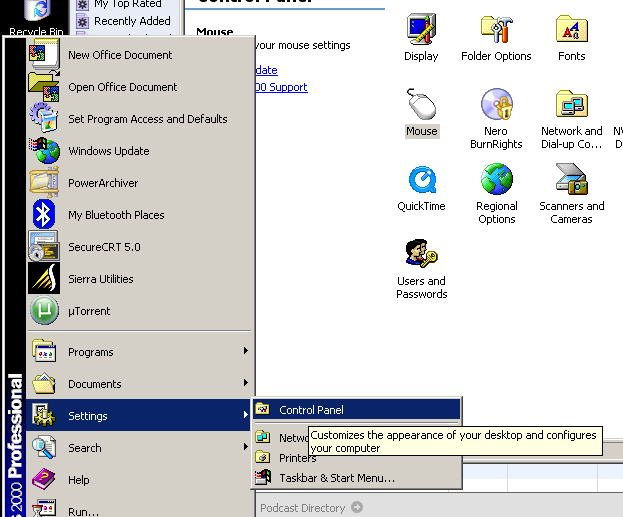
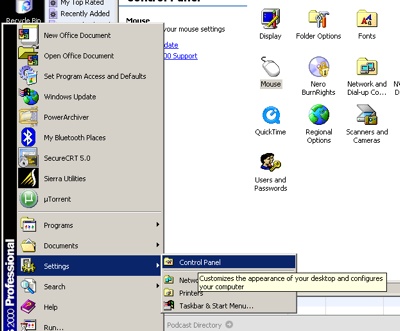
First off, go to the "Start" menu at the bottom left hand side of your screen, choose "Settings", then "Control Panel", like so:
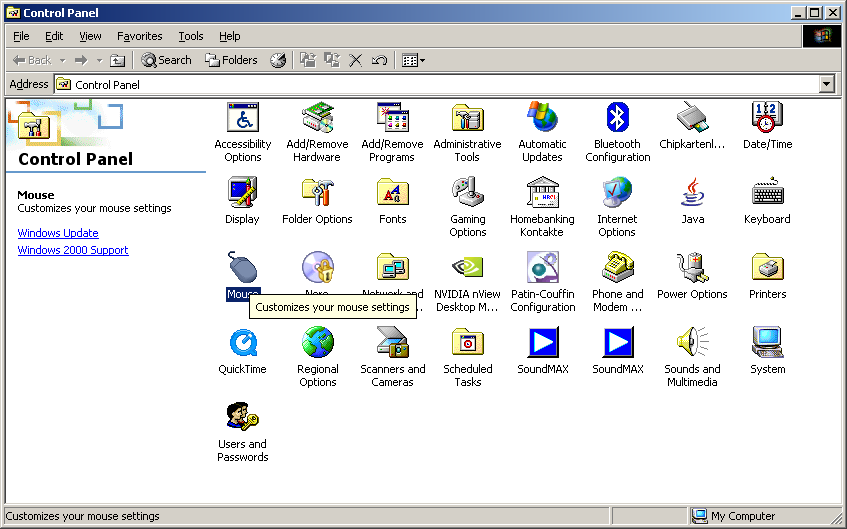
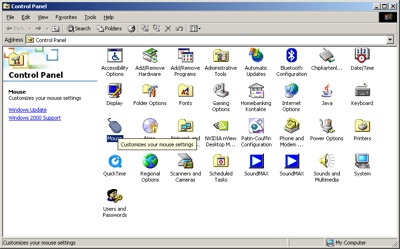
You still with me? Good, now double-click on the mouse control panel, like so:
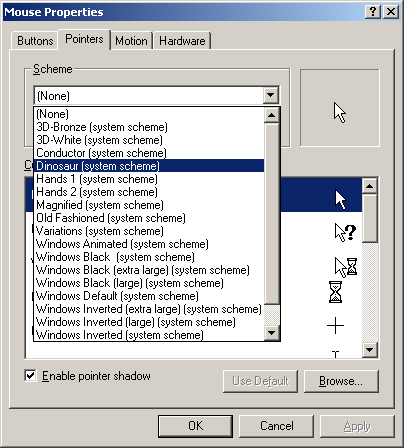
Now, this next pop-up screen might seem a little busy, but you need to concentrate! At the top, there's a row of words like "Buttons", Motion", and even the scary word "Hardware", but we're looking for the one that says "Pointers". Click on that, and you'll see something like the following picture:
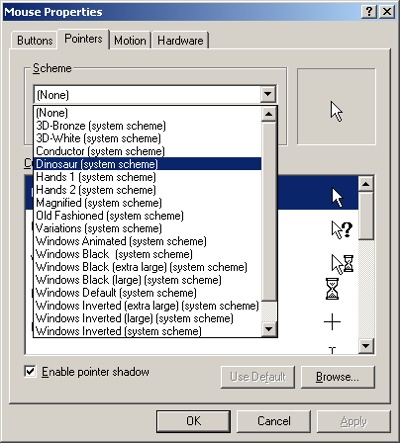
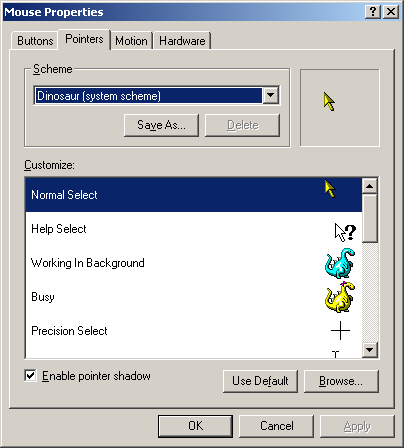
Now, choose that little box that says "Scheme". It'll scheme for a bit, and then show you a list of things to choose. Most of them are boring old do-nothings, but there, stuck in the middle, are our little psychic dinosaur friends. Choose that, and they'll just pop-up and say, "Hello there, Mr. User"! Like this:
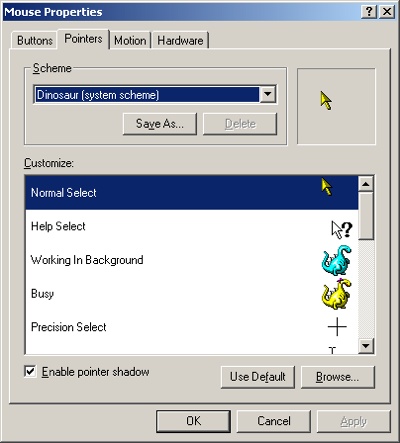
Now, isn't that better than that war-mongering "Arrow" set of pointers? I think so, too! I hope you'll have fun with your new dinosaur friends, and I'm sure your network administrator will be amused, and amazed! the next time he sits down to work on your computer. Nothing says "Have a nice day, Mr. Computer Guy!" better than showing him that a computer can also be FUN! FUN! FUN!
That's all for this installment of YouBitch Worthless Windows Tips! I hope you had as much fun reading it as I did writing it for you. Next week, I'll show you how to turn that boring-but-amazingly-helpful little paper clip that knows everything about Microsoft Office into something that's not only informative, but FUN! FUN! FUN!
See ya in the Funny Pages!
- Screens are from the English edition of Windows 2000. Actual screen appearance may vary.
I wonder how much of my life has been spent watching something on a computer screen counting to 100. I've been a Computer Guy for going on 18 years now, and I've probably installed 1000 computers, and untold tens of thousands of programs, and they all use the same lame-ass little percentage meter to tell you how far along they are. And they're always dreadfully wrong in their calculations, for some reason.
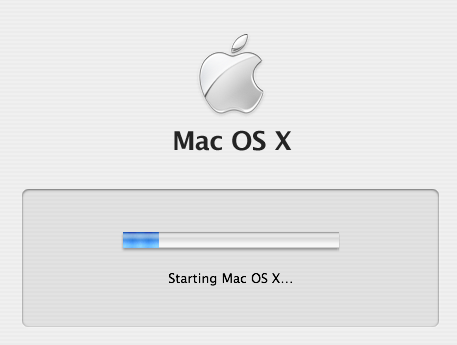
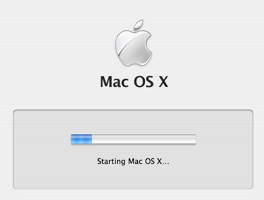
Starting with Windows 2000, Microsoft even decided to put a little progress bar on the boot screen. Apple followed this with OS X, with the goofiest booting-progress bar ever conceived, the placebo startup meter, which signifies practically nothing:
I mention this only because for the last 45 minutes I've been looking at an installation screen that started out with "Time Remaining: About 16 minutes". Lying sacks.
A lot of people don't realize this, but when it's 4°F outside, you can smoke a cigarette in, like, 45 seconds. It basically involves optimizing workflow. When you cut out all the John Wayne grimaces, the french inhaling, the smoke rings, you've trimmed the cigarette down to its absolute barest essence; and it keeps you from getting the rats from nicotine withdrawal.